Transparent PNG maker for photos, logos, and stickers
Upload an image and download a clean PNG cutout with a see-through background — free, private, and processed on your device.
Drop an image to get started
or paste one with Ctrl/⌘ V
PNG, JPG or WEBP · up to 20MB
What is a transparent PNG maker?
A transparent PNG maker turns an ordinary photo or graphic into a PNG whose backdrop is empty. PNG is one of the few everyday formats with an alpha channel, so empty pixels stay see-through when you place the file on a slide, a website header, or another design.
You need one whenever the subject has to sit on top of something else without dragging a white box along: a logo on a dark nav bar, a product on a store page, a signature on a contract, or a sticker in chat. This page runs the same on-device model as the rest of ImgCutout, tuned for that clean export.
For a step-by-step walkthrough, see how to use a transparent PNG maker.
Examples
From photo to transparent PNG
Two real photos, turned into transparent images with this tool and left exactly as it produced them.
 Before
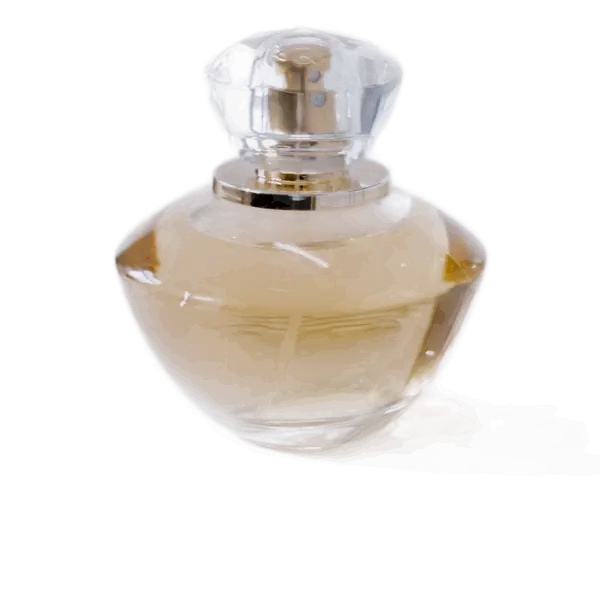 After
 Before
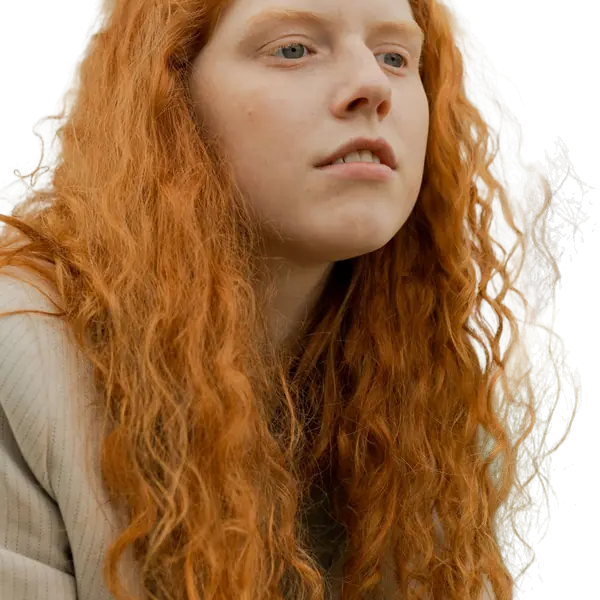 After
Source photos from Pexels (Pexels License: free to use, no attribution required) by MART PRODUCTION and Ron Lach. How they were made: each original JPG (1600 px wide) was run once through the same ormbg model this site uses, at Balanced (16-bit) quality, with edge cleanup left at “As detected” and no brush edits. The before and after images were then given the identical crop and resized to fit this page. See every example with measured data.
How to use a transparent PNG maker in 3 steps
Nothing to install and no account to create. The first image takes a little longer while the model loads; after that, each new picture is ready in a few seconds.
- 1
Upload a photo, logo, or drawing
Drop in a JPG, WEBP, or PNG up to 20MB, or paste a screenshot from your clipboard. Clear subjects on a contrasting background work best.
- 2
Let the on-device AI clear the backdrop
The model finds the subject and erases everything behind it inside your browser. Paint back any detail it missed with Select object.
- 3
Download a see-through PNG
Save a PNG cutout with an alpha channel at full resolution on a computer, ready for slides, stores, stickers, or design apps.
What you can make
Logo files without a white box
Most logos arrive as JPGs with a white rectangle. A transparent PNG maker turns them into files that sit cleanly on dark headers and colored slides.
Chat stickers and print-ready shapes
Cut out a pet, a face, or a doodle and export a sticker PNG for WhatsApp, Telegram, Discord, or a sticker printer.
Product shots for online stores
Lift products off busy photos, then place them on white or a brand color so Amazon, Etsy, and Shopify listings look consistent.
Slides and documents
A PNG cutout blends into PowerPoint, Keynote, Google Slides, and Word far better than a rectangular photo.
Signatures on contracts and invoices
Photograph a signature on white paper and export a transparent signature image for PDFs and email footers.
Profile pictures and avatars
Cut yourself out of a busy photo and drop the portrait onto a solid color for LinkedIn, Slack, or a team page.
PNG, WEBP, or JPG after the cutout
Keep PNG when you need a lossless master with transparency. Choose WEBP when the file has to stay small on a website and still keep see-through pixels. Pick JPG only when you want a solid color behind the subject and the smallest possible file — JPG cannot stay transparent.
Tips for a cleaner cutout
Start with a clear main subject
People, products, pets, and logos fill more of the frame than a tiny object in a wide shot, so the model has more detail to keep.
Use contrast between subject and backdrop
A dark object on a light wall, or a bright logo on a dark page, gives the AI an easy edge to follow.
Crop to one subject first
If several people or items share the frame, crop to the one you want before running the tool.
Preview on both dark and light colors
Halos and leftover pixels that hide on white often show up on black. Check both before you download.
Guides for transparent PNGs
All guides →- Design & file formatsHow to use a transparent PNG maker for logos, stickers, and product shotsA practical walkthrough of a transparent PNG maker: what files to start with, how to check edges, when to tighten holes in letters, and how to export a clean PNG cutout.
- Design & file formatsHow to make a PNG transparent from a JPG, photo, or screenshotStep-by-step: make a PNG transparent in the browser, fix missing strokes and letter holes, choose PNG vs WEBP, and keep transparency in Word, PowerPoint, and design apps.
- Design & file formatsHow to make a transparent PNG of a logo or a handwritten signatureTurn a logo on a white box or a signature on paper into a clean transparent PNG: scanning and photo tips, fixing gray paper, keeping thin strokes, and when you really need a vector file.
- Design & file formatsWhy your cutout is not a transparent PNG: PNG vs WEBP vs JPGWhy a cutout turns into a white or black box instead of a transparent PNG, how PNG, WEBP, and JPG store (or drop) alpha, real file-size trade-offs, and which export to pick in the PNG creator.
- Design & file formatsUsing transparent cutouts in Canva, Figma, Photoshop, PowerPoint, and CricutHow to bring a transparent PNG into common design and office apps without losing the transparency, plus layering, shadows, outlines, and print-and-cut tips.
- How it worksFixing halos, missing parts, and rough edges in a cutoutA troubleshooting guide for imperfect cutouts: halos of the old background, clipped fingers and straps, the wrong subject, holes that should be transparent, and jagged or blocky edges.
Transparent PNG maker FAQ
Can a transparent PNG maker work from a JPG?
Yes. JPG cannot store transparency, so the backdrop is cleared first and the result is saved as a PNG with an alpha channel.
Do my images get uploaded?
No. The AI model runs in your browser. Once the page and model have loaded, the cutout keeps working even if your connection drops.
Why is the hole inside a letter still filled in?
Enclosed shapes such as the middle of an O are easy for the model to treat as part of the logo. Tighten the edge slider by one or two pixels, or reselect the logo more tightly, then check the black preview.
Will the download stay sharp?
On a computer the file keeps the original width and height, and PNG is lossless. On phones, very large photos may be scaled down first to avoid running out of memory.